
Less tracking.
Filter known ad and tracker domains in supported apps and browsers.

 Made for iPhone and Android
Keep the content. Cut the distractions. Zero Ads filters ad and tracker domains across supported apps and browsers, so you can get back to what matters.
Start with free filtering. Upgrade only if you want more.
See how it works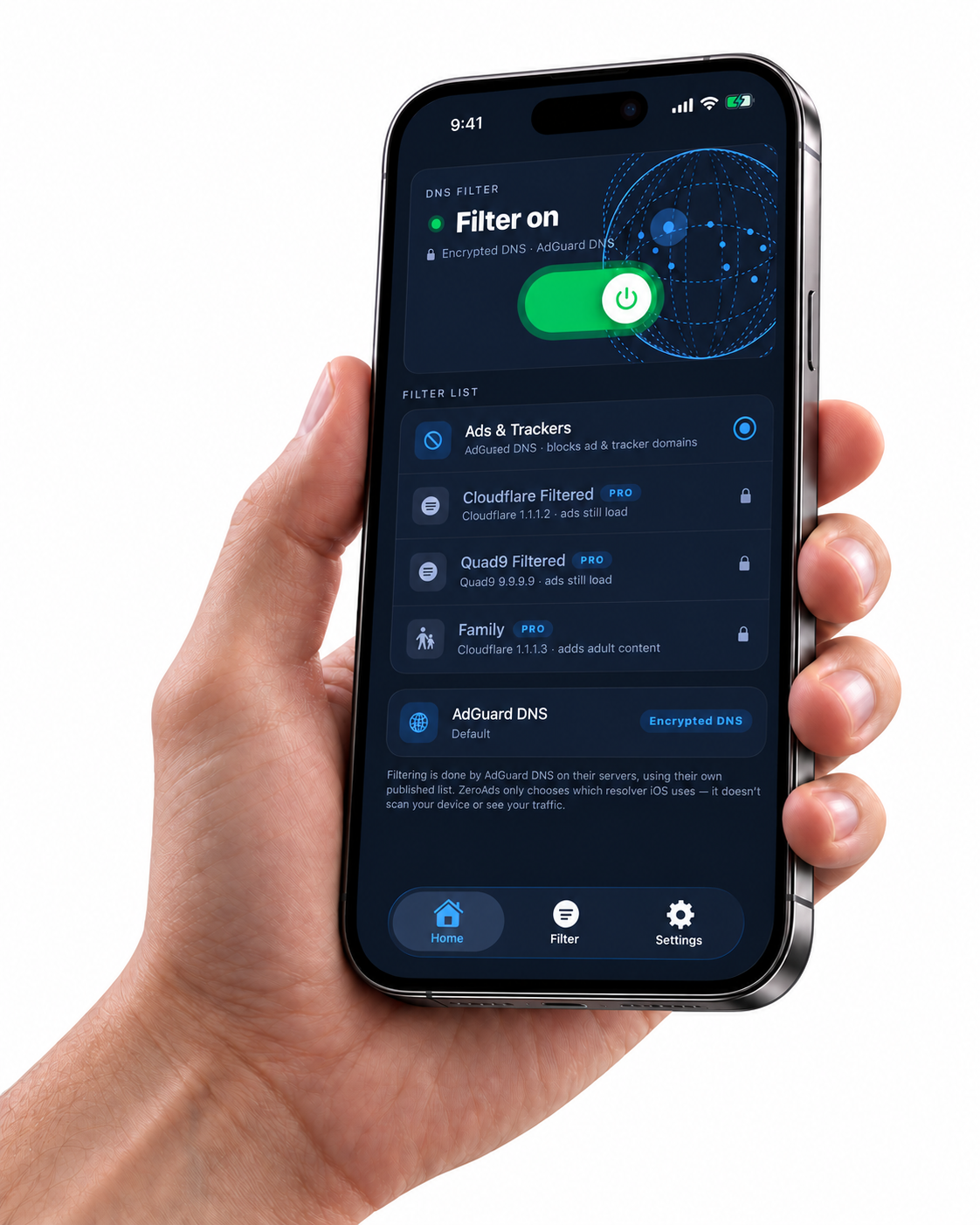
Filter known ad and tracker domains in supported apps and browsers.

DNS over HTTPS keeps queries encrypted on their way to the resolver.

Start free. Explore three more modes or DNS choices with Pro.
iOS 17+ · Android 8+
Blocking varies by app, website, and network.
LESS IN THE WAY. MORE IN YOUR DAY.
From your morning scroll to your evening game, take a little more control over what gets through.
Block matching ad and tracker domains before they load in supported apps, games, and browsers.
Coverage varies by app, browser, and network.
Android checks blocklists on your phone. On iPhone, your chosen DNS provider filters domains, with an optional Safari content blocker for browsing.
Understand the connectionOn Android, check blocked queries, connection time, and your protection streak. Stats stay on your phone. On iPhone, the Filter screen shows your chosen provider and DNS status.
Fresh filters. Less fuss. Android downloads blocklist updates. On iPhone, your DNS provider maintains its filtering lists.
THREE STEPS. THEN GET ON WITH YOUR DAY.
Get Zero Ads from the App Store for iPhone or Google Play for Android.
On iPhone, allow the DNS configuration and follow the activation guide. On Android, approve the VPN connection prompt for local DNS filtering.
Choose Ads & Trackers and turn filtering on. On iPhone, you can also enable the Zero Ads Safari content blocker in Settings.
YOUR PHONE. YOUR CALL.
Every day calls for something different. Choose the protection mode that fits yours.
Ads & Trackers is free on both platforms. Pro unlocks three more choices. Select your platform to see how they differ; current prices are shown in the app.
Get Zero AdsAndroid · on-device blocklists
Filter known ad, tracker, and some malicious domains. A simple starting point for a less cluttered day online.
Included free. Blocking depends on domain lists and app behavior.
No. Zero Ads filters known domains, so coverage depends on the app, browser, website, and network. Ads served from the same domains as content, or apps using their own DNS, may get through. It cannot guarantee removal of YouTube or social-feed ads.
On Android, the VPN permission lets Zero Ads filter DNS requests locally. On iPhone, you allow a DNS configuration that sends lookups to your selected provider. If it is installed but inactive, follow the app’s Settings guide. Neither version is a location-changing VPN.
Ads & Trackers is free on both platforms. Pro adds Malware Only, Security, and Family on Android; on iPhone, it unlocks Cloudflare Filtered, Quad9 Filtered, and Family. Options and prices are shown in each app; do not assume a purchase transfers between stores.
On Android, Zero Ads uses the VPN connection slot, so you generally need to choose between it and another VPN on the same profile. On iPhone, Zero Ads installs a DNS configuration rather than a traffic tunnel. Another VPN or DNS configuration can affect which resolver your device uses; check the active DNS setting.
On Android, blocklist checks and statistics are local; allowed DNS queries go to Cloudflare over HTTPS. On iPhone, DNS queries go to your selected provider, whose policies apply. Safari enforces its content-blocking rules. Subscription services also process purchase-related data. Read the app’s privacy policy for details.
Zero Ads is available for iPhone with iOS 17.0 or later and Android devices running Android 8.0 or later. Check the App Store or Google Play listing for compatibility and availability.
Enable the Zero Ads content blocker in Safari’s settings on your iPhone. Safari applies the bundled rules itself. This is separate from your DNS provider selection, and blocking results still vary by website.
A LITTLE LESS NOISE STARTS HERE.
Your apps. Your browsing. A little more breathing room.
Free Ads & Trackers mode · In-app purchases