

Free mobile apps make money through advertising, in-app purchases, subscriptions, sponsorships, and sometimes data partnerships. If you have wondered how do free mobile apps make money when nobody pays to download them, the answer usually involves the ads you see, the upgrades you are offered, or information collected while you use the app.
A free game might show a video after every level. A weather app might use advertising networks to display sponsored content. A photo editor might save its most useful tools for paying subscribers.
These arrangements are not automatically harmful. Problems arise when advertising becomes intrusive, payment terms are unclear, or an app collects more information than users expect.
This guide compares the main revenue models using five criteria: advertising frequency, potential spending, data collection, privacy controls, and access to essential features. These are practical ways to evaluate apps, not results from laboratory testing.
The Real Cost of Free Mobile Apps
A free app can be useful without costing you anything directly. You can check the weather, edit a picture, read the news, or complete a puzzle without entering payment information.
But running that app costs its developer money.
Developers need to maintain servers, update software, resolve bugs, support customers, and keep their products compatible with new operating systems.
Some developers cover these expenses through advertisements. Others charge for extra features or recurring subscriptions.
The difference becomes noticeable when an app starts interfering with what you downloaded it to do.
Consider a free weather app. You open it to check whether rain is expected during your commute, but a full-screen advertisement appears before the forecast.
Another weather app might place a small banner beneath the forecast. Both use advertising, but the experience is very different.
The first requires you to deal with an interruption. The second gives you the information immediately while displaying an advertisement alongside it.
Understanding these differences helps you decide which free apps deserve space on your phone.
What You May Be Giving Up Instead of Money
Your attention
Advertising-supported apps earn revenue by displaying promotional content. Depending on the arrangement, revenue may come from impressions, clicks, completed video views, or other advertising outcomes.
Some advertisements stay in a small section of the screen. Others appear between activities or interrupt what you are doing.
A game that shows an advertisement after finishing a level might be acceptable. A calculator that displays a full-screen video before allowing a simple calculation is harder to justify.
Your personal information
Apps may collect device information, usage activity, approximate location, advertising identifiers, and other technical details.
Some information helps the app function correctly. Other information supports analytics, advertising measurement, or personalization.
For example, a weather app needs a location to provide a local forecast. It does not necessarily need continuous precise location access when you are not using it.
The important distinction is whether the information collected makes sense for the service being provided.
Your future spending
Some free apps are designed around optional purchases.
A photo editor might let you crop pictures and adjust brightness for free while charging for advanced tools.
A mobile game may offer cosmetic items, extra lives, or virtual currency.
These purchases can be reasonable when prices and benefits are clear. Problems occur when essential features are hidden behind unexpected charges or users struggle to understand recurring payments.
Your control over the experience
The developer decides which advertisements appear, how frequently upgrade prompts are displayed, and what information the app requests.
You still have choices. You can adjust permissions, decline optional tracking, remove an app, or choose a different service.
However, those controls cannot change every aspect of an app's business model.
How to Judge Whether a Free App Is Worth Using
Before downloading an unfamiliar app, check five things.
-
Advertising frequency: Look at recent reviews for repeated complaints about full-screen ads, forced videos, or interruptions during basic tasks.
-
Free functionality: Read the description carefully. Confirm that the feature you need is actually included without payment.
-
Data collection: Check whether the developer discloses advertising identifiers, location information, usage activity, or third-party sharing.
-
Privacy controls: Look for options to reject optional tracking and restrict permissions that are unrelated to the app's purpose.
-
Developer transparency: Check whether the privacy policy, subscription details, and support information are accessible.
After installation, judge the actual experience.
If a document scanner lets you scan a page but requires a subscription just to save the result, its free version may not meet your needs.
If a game offers optional rewarded advertisements without interrupting normal play, its advertising arrangement might be reasonable for you.
Do not assume that paying automatically provides better privacy. A subscription app may still collect extensive analytics data.
How Do Free Mobile Apps Make Money? Comparing the Main Models
There is no single business model behind free mobile software.
Some developers rely entirely on advertisements. Others earn most of their revenue from paid upgrades, subscriptions, or sponsored recommendations.
Many combine several methods.
When evaluating an app, identify where its revenue comes from and what that means for your experience.
1. Advertising-Supported Apps
Best for: People who want free access to basic features and can tolerate occasional advertisements.
Advertising-supported apps make money by offering advertising space to businesses that want to reach their users.
You might see a banner inside a weather app, a sponsored product in a shopping app, or a video between game levels.
The developer commonly works with an advertising network or another advertising service that manages the placement and delivery of advertisements.
Revenue depends on the advertising arrangement. An ad impression may generate revenue, while other campaigns pay for interactions or specific actions.
Strengths:
-
Basic functionality is often available without payment.
-
Advertising can help fund software maintenance and updates.
-
Users may be able to use the app without purchasing anything.
-
Contextual advertising can work without extensive behavioral profiling.
Limits:
-
Advertisements may interrupt tasks.
-
Advertising systems can involve third-party data collection.
-
Video advertisements use network data and device resources.
-
Some advertisements are difficult to filter without affecting app functionality.
What to check: Open the app and complete the task you downloaded it for. If you must dismiss several advertisements before reaching the feature, compare alternatives.
An app with a persistent but unobtrusive banner may be easier to use than one with repeated full-screen interruptions.
2. Freemium Apps with In-App Purchases
Best for: People who only need basic features but want the option to pay for occasional extras.
The freemium model gives users a free version while charging for premium features or content.
Consider a photo editor with free cropping, resizing, and basic color adjustments.
Advanced editing features might require a one-time purchase or subscription.
Mobile games commonly use this approach for additional content, cosmetic items, or virtual currency.
Strengths:
-
You can try core features before spending money.
-
Free tools may be sufficient for occasional use.
-
Some purchases provide lasting access to specified features.
-
Payment is optional when the free version meets your needs.
Limits:
-
Frequently used features might be unavailable without payment.
-
Upgrade prompts can interrupt normal use.
-
Repeated small purchases can become expensive.
-
Purchasing an upgrade does not necessarily disable analytics or advertising tracking.
What to check: Look at the app's purchase information before installing.
Find out which features are free and whether the upgrades are one-time payments or recurring subscriptions.
If you only need to resize an occasional photo, paying for a complicated editing package may offer little value.
3. Subscription-Based Apps
Best for: People who regularly use a service that needs ongoing maintenance, cloud storage, or updated features.
Subscription apps charge for continued access rather than relying entirely on a single purchase.
Examples include cloud storage, productivity tools, fitness programs, and certain educational apps.
Some services provide a limited free version. Others offer a trial before paid billing begins.
Strengths:
-
May provide continuing updates and support.
-
Can fund services with recurring operating costs.
-
Paid plans sometimes include advertising removal.
-
Users can stop renewing when they no longer need the service.
Limits:
-
Costs continue until the subscription is canceled.
-
Free trials may convert to paid plans automatically.
-
Several inexpensive subscriptions can create a significant recurring expense.
-
Payment does not guarantee reduced data collection.
What to check: Review the renewal price, billing period, cancellation conditions, and features included.
If you only need an app twice a month, a recurring subscription may be unnecessary.
4. Sponsored Content and Affiliate Partnerships
Best for: People who find product recommendations useful and want commercial relationships clearly identified.
Some apps earn money by recommending products or services.
A recipe app might include links to cooking equipment. A fitness app might display sponsored workout products.
The developer may receive payment for displaying sponsored content or earn a commission when someone completes a qualifying purchase.
Strengths:
-
Can support free services without frequent video advertisements.
-
Relevant recommendations may be useful.
-
Clear sponsorship disclosures help users understand the relationship.
Limits:
-
Financial incentives may influence what gets recommended.
-
Sponsored content can resemble ordinary app content.
-
Referral systems may use tracking information to attribute purchases.
What to check: Look for sponsored labels, affiliate disclosures, and explanations of how recommendations are selected.
Be especially careful when an app presents a paid recommendation as though it were an independent ranking.
5. Data Partnerships and Analytics-Based Revenue
Best for: People who understand the disclosed data practices and are comfortable with the arrangement.
Some apps participate in advertising measurement, research, or data-related commercial partnerships.
These arrangements vary considerably.
An app may share aggregated usage insights for research. Another may work with advertising partners that process information for campaign measurement or personalization.
This does not mean every free app sells your personal information.
An app that collects crash reports or measures feature usage is not automatically operating a data-selling business.
Strengths:
-
Analytics can help developers identify technical problems.
-
Usage information may guide improvements.
-
Aggregated insights can support legitimate research or product decisions.
Limits:
-
Data-sharing arrangements may be difficult to understand.
-
Multiple companies may process information.
-
Some data can be associated with accounts or device identifiers.
-
Privacy controls differ between services.
What to check: Read the sections of the privacy policy covering advertising partners, analytics, data sharing, and retention.
Pay attention to whether the app explains which information remains linked to individual users.
Free App Revenue Models at a Glance
| Revenue model | How developers earn money | Main trade-off | What users should check |
|---|---|---|---|
| In-app advertising | Payments for ad placements or campaign outcomes | Interruptions and possible advertising tracking | Ad frequency and third-party sharing |
| Freemium | Optional purchases and paid features | Feature restrictions and upgrade prompts | Actual free features and purchase terms |
| Subscriptions | Recurring charges | Continuing costs | Renewal price and cancellation |
| Sponsorships and affiliates | Paid placements and referral commissions | Commercial influence on recommendations | Sponsorship disclosures |
| Data-related partnerships | Permitted data and insights arrangements | Potential data collection and sharing | Privacy policy and partner practices |
An app can use several of these models simultaneously.
For example, a free fitness app might display banner advertisements, sell premium training plans, and collect usage analytics.
That makes its actual privacy disclosures and purchasing terms more useful than a simple free or paid label.
In-App Advertising Networks and Ad Placements
An advertisement inside an app usually involves more than the developer placing a picture on the screen.
Advertising networks connect developers with advertisers and provide technology for selecting, delivering, and measuring advertisements.
These systems explain why advertisements can change between sessions and why some apps contact advertising services even when you do not interact with an ad.
How Ad Networks Deliver Advertisements
Developers often integrate advertising technology through software development kits, or SDKs.
An SDK is a package of code that provides a specific function. Advertising SDKs help apps request advertisements, display them, and report relevant campaign events.
A typical process works like this:
-
You open an app containing an advertising placement.
-
The app or its advertising SDK requests an advertisement.
-
The request reaches an advertising service or ad server.
-
The advertising system selects an eligible advertisement.
-
The advertisement loads inside the app.
-
The system may record the display or an interaction.
The information sent with an advertising request depends on the service, app settings, permissions, and applicable privacy requirements.
Some advertising uses the app's content or general context. Other systems use available identifiers or permitted activity information.
This is also why two people using the same app may see different advertisements.
Banner Ads, Interstitials and Rewarded Videos
The format of an advertisement often determines how disruptive it feels.
Banner advertisements
Banner ads occupy a section of the screen, usually near the top or bottom.
You might see one beneath a weather forecast or along the edge of a free game.
They are often less disruptive than full-screen advertisements, although they reduce usable screen space.
Some banners refresh while the app remains open, generating additional advertising requests.
Interstitial advertisements
Interstitials are full-screen advertisements displayed between activities.
A game might show one after you finish a level. A free photo editor might display one between editing and exporting an image.
Placement matters.
An advertisement appearing after a completed task is less disruptive than one appearing while you are entering information.
Rewarded video advertisements
Rewarded videos offer an in-app benefit in exchange for watching an advertisement or completing an advertising activity.
A game might let you watch a video to receive another attempt or additional virtual currency.
These advertisements can be reasonable when participation is optional and the reward is explained.
They become frustrating when the app repeatedly pushes you toward viewing them instead of allowing normal play.
Native advertisements
Native advertisements match the surrounding content's appearance.
A news app might display a sponsored article alongside ordinary headlines. A shopping app might insert a promoted item into a product list.
These placements should be recognizable as advertising so users can distinguish promotional material from regular content.
App-open advertisements
App-open advertisements appear when you launch an app or return to it.
They are especially inconvenient in tools designed for quick tasks.
If you open a flashlight or calculator app and repeatedly encounter launch advertisements, a simpler alternative may be more useful.
Why Some Advertisements Are Harder to Filter
Not every advertisement comes from a separate advertising server.
Some apps request advertisements from identifiable third-party domains. Others deliver promotional content through the same infrastructure used for important app functions.
This distinction affects DNS-based filtering.
If an advertisement depends on a separate advertising domain, a domain filter may prevent that request from resolving.
If promotional content and essential features use the same domain, blocking it might stop important parts of the app from working.
Some apps also use network methods that do not follow the device's normal DNS configuration.
Blocking results vary by app, website, and network. No domain-based filtering system can guarantee removal of every advertisement.
In-App Purchases and Subscription Models
Advertisements are visible, but purchases and subscriptions can have a greater effect on your spending.
Before paying to improve an app, identify exactly what the purchase changes.
How In-App Purchases Work
In-app purchases generally include three common arrangements.
-
Consumable purchases: Items such as virtual currency or additional game resources that can be used up.
-
Non-consumable purchases: Features or content intended to remain available according to the purchase terms.
-
Subscriptions: Continued access to features or services during an active billing period.
A free note-taking app provides a useful example.
It might allow basic notes without payment, charge for extra storage, and offer a subscription for cloud synchronization or advanced organization.
Each option solves a different problem.
If you only keep short shopping lists, paying for cloud storage may be unnecessary.
If you manage work notes across several devices every day, synchronization might justify the expense.
Does Paying for an App Remove Advertisements?
Only when the purchase terms say so.
Some apps offer a specific advertising-removal purchase. Others charge for extra features while keeping certain promotions or advertisements.
Read the upgrade screen carefully.
Look for a clear description of what changes after payment.
An upgrade might:
-
Remove specified advertising placements.
-
Provide access to additional editing tools.
-
Increase storage limits.
-
Enable synchronization between devices.
-
Unlock content for the subscription period.
Do not assume that removing ads also disables analytics.
An app may continue sending crash reports, performance information, or account activity even after you pay.
If reducing tracking matters to you, review the privacy settings separately.
Check the Real Subscription Cost
A small monthly charge can seem insignificant when you want to remove an irritating advertisement.
But the useful comparison is what you will spend over the period you expect to use the app.
Multiply the monthly price by 12 to calculate a full year's cost. Compare that figure with any annual plan or one-time purchase offering similar features.
Also check introductory pricing.
A free trial may automatically convert to a paid subscription unless canceled before the applicable deadline.
On iPhone: Open Settings, tap your name, then choose Subscriptions.
On Android: Open Google Play, tap your profile picture, then open Payments & subscriptions and select Subscriptions.
Menus can vary by device and software version.
Subscriptions purchased through other billing providers may need to be managed directly with those providers.
Deleting an app does not automatically cancel its subscription.
Before paying solely to eliminate advertising, consider whether another app provides the same essential function with fewer interruptions.
Data Collection and Analytics Tracking

Data collection is less obvious than a banner or video advertisement.
You can see an advertisement. You usually cannot see the network requests happening while an app loads content, records an event, or communicates with an analytics provider.
Many apps collect information for legitimate operational reasons.
A banking app needs to authenticate account access. A navigation app needs location information to provide directions. A streaming app may record playback errors to diagnose problems.
Advertising and analytics systems can collect additional information.
The practical question is what information an app gathers, how it uses that information, and which companies receive it.
What Apps Collect and Share with Ad Partners
Device information
Apps may collect technical information such as operating system version, device type, language, and software configuration.
This can help developers identify compatibility problems.
Depending on the circumstances, technical details may also support advertising or measurement.
Advertising identifiers
Mobile platforms provide controls governing certain advertising identifiers and tracking activities.
Where permitted, advertising systems may use available identifiers to measure campaign performance or support personalization.
Usage activity
Apps may record which screens you open, how often you return, or which features you use.
A shopping app might measure product views and purchases to evaluate its recommendations.
A game might record where users stop playing to help developers understand whether a level is too difficult.
Location information
An app may infer approximate location from network information such as an IP address.
Precise device location generally requires operating system permission.
A weather app has a reasonable need for location when providing a local forecast. Continuous background access may be unnecessary if you only check forecasts manually.
Purchase and advertising activity
Some apps record purchases, advertising interactions, or other conversion events.
Advertising partners may use permitted information to evaluate whether campaigns are producing results.
Telemetry data
Telemetry data describes information software sends about its operation or use.
Examples include crashes, loading times, feature events, and error reports.
Telemetry is not automatically the same as advertising tracking.
However, some telemetry may be linked to accounts or identifiers, depending on the way the app and its analytics systems are configured.
How SDKs Affect Your Privacy
An app can contain code supplied by several companies.
One SDK might handle analytics. Another might manage advertising. A third could provide crash reporting.
You only installed one app, but its features may depend on multiple services.
Each integration introduces questions about what information is collected and where it goes.
A third-party advertising SDK may generate network requests even when you are not tapping an advertisement.
Some data collection does not require special access to your camera, microphone, or contacts.
For that reason, an app having few sensitive permissions does not automatically mean it sends little data.
Permission settings and privacy disclosures address different parts of the problem. Both deserve attention.
Personalized Ads Versus Contextual Ads
Advertising does not always require detailed profiles.
Contextual advertising uses the content or situation in which an advertisement appears.
A recipe app might display promotions for kitchen utensils because the app focuses on cooking.
Personalized advertising may use permitted information about previous interactions, inferred interests, or activity across services.
For example, an advertising system might use available browsing or shopping signals to select promotions related to products someone previously viewed.
Both systems can involve technical information.
The important difference is whether advertising selection depends mainly on the current context or on a broader collection of user-related signals.
If you prefer to limit behavioral profiling, look for settings that reduce optional tracking and personalization.
Does Turning Off Tracking Stop All Data Collection?
No.
Disabling an advertising tracking permission can restrict specific forms of tracking, but it does not automatically prevent an app from collecting information needed to operate.
A shopping app may still process your delivery address. A fitness app may still save workout information. A game may still send crash reports.
An app can also communicate with its own servers without using a separate advertising domain.
For better privacy, review tracking controls alongside permissions, account settings, and the developer's data-handling disclosures.
Terms and Conditions for Mobile Apps
Most app users do not read every page of the legal documents presented during installation.
The documents can be lengthy, and much of the language does not help you decide whether a simple app is worth downloading.
Still, a few sections can reveal useful information about payments, data collection, and user privacy.
Terms of Service Versus Privacy Policies
Terms of service explain the conditions for using an app.
They may cover account responsibilities, purchases, acceptable use, cancellation, and restrictions on features.
A privacy policy explains how a service collects, processes, shares, and retains information.
These documents answer different questions.
The terms of service may explain that a subscription renews automatically.
The privacy policy may explain whether the app shares usage information with advertising or analytics partners.
Read the relevant sections of both when deciding whether to install an app or pay for its services.
Five Privacy Details Worth Finding
1. Information collected
Look for references to device identifiers, location, browsing activity, purchase history, and usage data.
Compare the information requested with what the app actually does.
A local weather app may need your approximate location. A basic timer app generally has little reason to request precise location access.
2. Sharing with third parties
Search the privacy policy for advertising partners, analytics providers, service providers, and data sharing.
Different types of sharing serve different purposes.
Using a payment processor to complete a transaction is not the same arrangement as sharing information for cross-service advertising.
3. Data retention
Find out whether the developer explains how long it keeps information.
Retention may vary by data category.
Deleting your account does not always mean every record disappears immediately. Some information may be kept for legal, security, or operational reasons.
4. Privacy choices
Look for settings to manage optional personalization, withdraw consent where applicable, request deletion, or contact the developer.
The available options depend on the service and applicable law.
5. Subscription and cancellation rules
Check renewal terms, billing frequency, and trial conditions.
If a subscription begins automatically after a trial, identify when you must cancel to avoid a charge.
Warning Signs That Deserve a Closer Look
Be cautious when an app:
-
Requests access to sensitive information without a clear connection to its purpose.
-
Provides little useful explanation of advertising or analytics sharing.
-
Makes its privacy policy difficult to locate.
-
Promotes a free trial without clearly displaying the renewal terms.
-
Uses confusing language around one-time purchases and subscriptions.
-
Provides no practical way to contact the developer about privacy questions.
None of these signs proves that an app is malicious.
They are reasons to investigate before granting permissions, creating an account, or entering payment information.
Review App Store Privacy Information Before Installing
You can learn quite a bit without downloading an app.
On iPhone:
-
Open the app's listing in the App Store.
-
Scroll to App Privacy.
-
Review the available data categories.
-
Look for information about tracking and data linked to users.
-
Open the developer's privacy policy for more detail.
Pay attention to advertising identifiers, location, and usage information.
On Android:
-
Open the app's listing in Google Play.
-
Find the Data safety section.
-
Tap See details.
-
Review the declared data collection and sharing.
-
Check whether the developer explains deletion and other available controls.
These disclosures are supplied by developers. They are useful for screening apps, but they are not independent guarantees of every technical behavior.
How Mobile Safety Apps Help You Regain Control
Mobile safety apps cover several different functions.
An antivirus product focuses on certain security threats. A permission manager helps control access to sensitive device features. A content blocker filters supported web content. A DNS-based filtering app targets particular network requests.
The right tool depends on what you want to change.
If you are tired of advertisements and third-party tracking requests, domain-based filtering may be relevant.
If your concern is unnecessary microphone access, permission settings are the more direct solution.
DNS-Based Ad and Tracker Filtering
When an app connects to an internet service, it often uses the Domain Name System, or DNS, to find the address associated with a domain name.
DNS-based filtering checks these requests against filtering rules.
If a domain is identified as an advertising or tracking destination, the filtering system can prevent its normal resolution.
For example, an app may contact a separate domain to load an advertising banner.
When that domain is blocked, the associated content may fail to load.
This approach can affect supported traffic from apps and browsers without requiring changes to each individual webpage.
However, it only works when the relevant requests pass through the filtering system and can be identified at the domain level.
If an advertisement comes from the same domain as essential app content, blocking the domain could interfere with the app itself.
What Encrypted DNS Adds
Encrypted DNS protects DNS queries while they travel between your device and the selected resolver.
This can make it harder for parties along the network path to inspect or alter those queries in transit.
It does not make all your internet activity anonymous.
The resolver still processes the DNS queries it receives. The apps you use can still communicate with their services, and other information may remain visible to those services.
Encrypted DNS also does not prevent every form of tracking.
Review the filtering provider's privacy practices and understand that DNS protection is one part of a broader privacy setup.
Choosing a Simple Filtering Tool
If repeated advertisements are your main problem, Zero Ads provides a privacy-focused ad blocker app for supported traffic on iPhone and Android.
Its filtering approach differs between platforms.
On Android, it uses on-device domain blocklists and a local VPN-based filtering connection, with permitted DNS requests sent through encrypted DNS.
On iPhone, it uses a DNS configuration, with filtering performed by the selected DNS provider. A separate Safari content blocker is also available.
The Ads & Trackers option is free, while additional filtering choices are offered through paid options.
This can be useful when apps or websites make requests to known advertising or tracking domains.
It is not designed to remove every type of advertisement.
Blocking results vary by app, website, and network. Advertisements delivered through essential content domains may remain visible, and DNS filtering does not reliably remove YouTube advertisements or all advertising embedded inside apps.
Filtering also does not replace software updates, account security, or careful permission decisions.
Why Permission Controls Still Matter
Even when filtering is active, an app may continue communicating with its own servers.
Consider a fitness app that records walking routes.
If you grant it precise location access, it may send route information to its service as part of its normal functionality.
Blocking unrelated advertising domains does not prevent every such transfer.
Use different controls for different problems:
-
Review app permissions before granting sensitive access.
-
Disable optional advertising tracking where available.
-
Check privacy disclosures for third-party sharing.
-
Use network filtering for supported advertising and tracking requests.
-
Remove apps you no longer need.
A smaller collection of well-chosen apps with sensible permissions is often easier to manage than several overlapping privacy tools.
How to Choose a Free App Based on Your Situation
Your everyday use should guide the decision.
If you mostly play free games
Look for advertising that appears at predictable breaks.
Optional rewarded videos may be acceptable if normal gameplay does not depend on repeatedly watching them.
If a game interrupts almost every level, try another game before purchasing an advertising-removal upgrade.
If you use productivity apps
Decide which features you actually need.
A free notes app with basic organization may be enough if you only store shopping lists and reminders.
A paid plan may make sense when you regularly need synchronization, shared workspaces, or additional storage.
If privacy is your main concern
Start with the app's data disclosures and requested permissions.
Prefer clear explanations of why information is collected and how optional tracking can be controlled.
Do not rely on the subscription price as evidence of stronger privacy.
If you want fewer advertisements across several apps
Consider DNS-based filtering as one possible layer.
Check whether your essential apps continue working properly and accept that some embedded advertising cannot be removed through domain filtering.
If you are choosing apps for children
Review the age suitability, advertising formats, in-app purchases, and privacy disclosures before installation.
A game that repeatedly encourages purchases or directs children to external promotions may be a poor choice even if its core gameplay is free.
How to Reduce Ads and Tracking on Your Phone
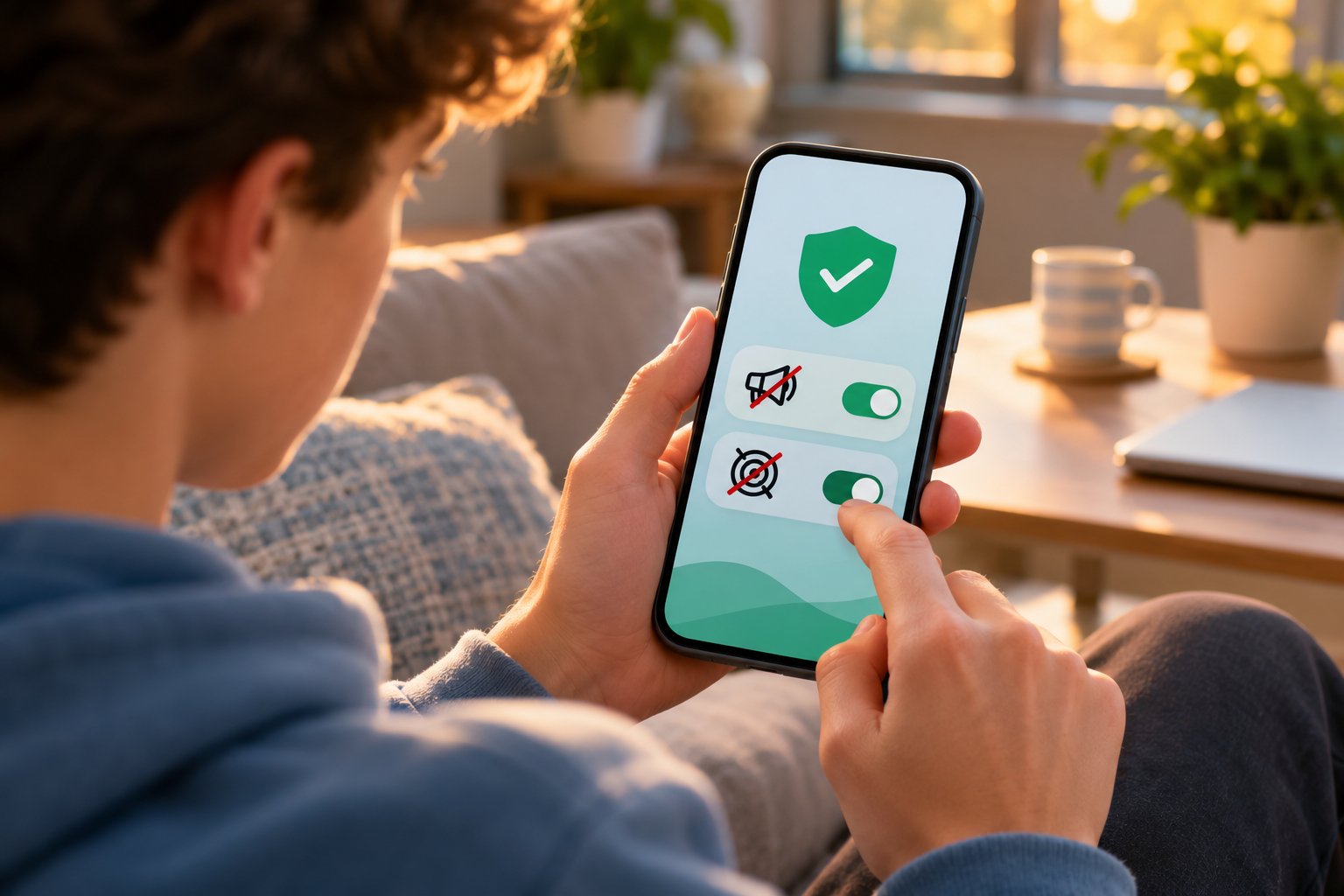
You can reduce some unnecessary advertising and tracking without changing every app on your phone.
Start with the apps that cause the most interruptions. Then review the privacy controls already available on your device.
Step 1: Identify the Apps Causing the Most Interruptions
Open the apps you use frequently and pay attention to when advertisements appear.
Ask:
-
Does an advertisement appear before I can access the main feature?
-
Does the app interrupt tasks with full-screen videos?
-
Are advertisements clearly distinguishable from normal content?
-
Can I use the basic features without paying?
-
Would another app do the same job with fewer interruptions?
Take a weather app that covers the forecast with an advertisement whenever you open it.
Before purchasing an upgrade, compare the free versions of other weather apps.
Check their forecast features, advertising arrangements, and privacy disclosures.
Changing apps may solve the problem without adding another subscription.
Step 2: Review Tracking Controls on iPhone
Apple provides controls for certain cross-app tracking practices.
To review them:
-
Open Settings.
-
Tap Privacy & Security.
-
Select Tracking.
-
Review apps that requested permission.
-
Turn off permission for apps you do not want tracking you across other companies' apps and websites.
You can also turn off Allow Apps to Request to Track.
This restricts tracking covered by Apple's permission system. It does not automatically stop ordinary analytics, account activity, or data processing needed to provide app features.
Step 3: Check App Privacy Report on iPhone
App Privacy Report can provide information about app access to certain permissions and network domains.
To enable it, if available:
-
Open Settings.
-
Tap Privacy & Security.
-
Select App Privacy Report.
-
Tap Turn On App Privacy Report.
After activation, use your apps normally before reviewing the results.
The report can show access to sensitive information and domains contacted by apps.
Seeing several network connections is not automatically suspicious.
An app may connect to services for authentication, content delivery, crash reporting, or essential functionality.
If you notice unfamiliar activity, compare it with the developer's privacy disclosures before making changes.
Step 4: Review Android App Permissions
Android lets you review permissions for individual apps.
To check them:
-
Open Settings.
-
Select Apps.
-
Choose an app.
-
Tap Permissions.
-
Review the available categories.
-
Restrict permissions that are unnecessary for your use.
Menu wording varies by Android version and manufacturer.
For example, a navigation app needs location access to provide directions.
A simple calculator generally does not need precise location information.
Where supported, you can allow location access only while using an app or require permission each time.
Test the app after changing permissions to confirm its essential features still work.
Step 5: Use Android's Privacy Dashboard
On supported Android devices, the Privacy dashboard helps you review recent access to certain sensitive permissions.
Open Settings and look under Security & privacy or Privacy for Privacy dashboard.
Review the available activity categories, including location, camera, and microphone.
A video-calling app using the microphone during a call is expected.
Unexpected access deserves a closer look, especially when it appears unrelated to the app's function.
Check permissions and the developer's explanation before deciding whether to restrict or uninstall the app.
Step 6: Limit Advertising Requests with DNS Filtering
If you want to reduce requests to known advertising and tracking domains, try a compatible DNS filtering tool.
For Zero Ads, the general setup is:
-
Install the app from the appropriate official app store.
-
Open it and select the Ads & Trackers filtering option.
-
Enable filtering.
-
On iPhone, approve the DNS configuration and follow the activation instructions.
-
On Android, approve the VPN connection request used for local DNS filtering.
-
Check the app's status to confirm that filtering is active.
On Android, the VPN permission supports the local filtering mechanism. It does not mean the app works as a conventional location-changing VPN.
Another VPN or DNS configuration may conflict with the setup.
If filtering does not activate correctly, check which network protection or DNS services are already enabled.
Step 7: Check Whether Filtering Actually Helps
Return to the apps and websites where advertising was most noticeable.
Look for changes you can verify yourself:
-
Are fewer advertising placements loading?
-
Are there fewer interruptions during ordinary browsing?
-
Do the apps still perform their essential tasks?
-
Are websites loading without unexpected errors?
-
Does the behavior change between Wi-Fi and mobile data?
Do not expect every advertisement to disappear.
Some apps serve advertisements from the same domains as their main content. Other services use network arrangements that a DNS filter cannot control.
If an app stops loading content, temporarily disable filtering and try again.
If the problem disappears, filtering may be affecting a domain the app needs. Review the available filtering options rather than leaving an essential feature broken.
Test on both Wi-Fi and mobile data if you regularly switch between them.
Blocking results vary by app, website, and network, so judge the tool by the improvements it provides without disrupting the services you rely on.
Step 8: Keep Your Apps and Phone Updated
Software updates can fix security vulnerabilities, resolve bugs, and improve compatibility with operating system privacy controls.
Install updates for apps you trust and keep your phone's operating system current.
Remove applications you no longer use.
An abandoned game or utility still sitting on your phone may retain permissions or account information you no longer need.
Before uninstalling an app with a paid subscription, check whether the subscription must be canceled separately.
Step 9: Recheck Privacy and Subscription Settings Occasionally
App features and data practices can change.
An update may introduce new functionality that requests additional permissions. A developer may change subscription packages or advertising arrangements.
When a new permission prompt appears, read what it requests before accepting.
Review your active subscriptions periodically and cancel services you no longer use.
For apps you rely on, revisit privacy settings when their features or disclosures change.
You do not need to inspect every network request. Focus on understandable controls, clear payment terms, and apps that behave as expected.
FAQ
How do free mobile apps make money without charging users?
Free mobile apps commonly earn revenue through advertisements, optional in-app purchases, subscriptions, sponsorships, and certain data-related partnerships. Some combine several methods, offering basic features for free while earning revenue from ads or paid upgrades. Others receive funding through donations or organizations that support their development.
What data do free mobile apps collect to show targeted ads?
Depending on their practices and permissions, free apps may collect device information, advertising identifiers, usage activity, approximate location, and advertising interactions. Advertising partners may use permitted information to personalize advertisements or measure campaign performance. The specific collection depends on the app, its SDKs, user settings, and applicable privacy requirements.
Are free mobile apps safe to use on Android and iPhone?
Many free apps are legitimate and useful, but a free download does not guarantee strong privacy or security practices. Review the developer, app store privacy information, requested permissions, and subscription terms before installing. Keep your device updated and avoid granting access that the app does not reasonably need.
How do terms and conditions affect mobile app privacy?
Terms of service explain the rules of using an app, while privacy policies describe its information-handling practices. Together, these documents can explain data collection, sharing, retention, subscriptions, and available controls. Checking the relevant sections helps you decide whether the app's requirements and practices are acceptable.
Free apps can be perfectly reasonable choices when you understand how they earn money. Before installing another game, utility, or photo editor, check the advertising experience, confirm which features are actually free, and review the information the app requests.
If advertisements are getting in the way, start with your phone's privacy controls and consider suitable filtering for supported traffic. Keep the apps that do their jobs without excessive interruptions, unclear charges, or unnecessary access to your information.